

Pull Request Reporting
Each time you push a new commit to a Pull Request, TestLens posts a comment with information and controls that enables you to assess and act on test failures. While jobs on your PR are running, TestLens automatically updates the comment as soon as new relevant information appears. This allows you to inspect and act on a failing test as soon as the failure appears and not only after all jobs finished.
Comment Lifecycle
Section titled “Comment Lifecycle”- The TestLens comment shows the test status of running and completed jobs of the latest commit on your Pull Request.
- The comment is live: as soon as a test failure occurs, the comment is updated.
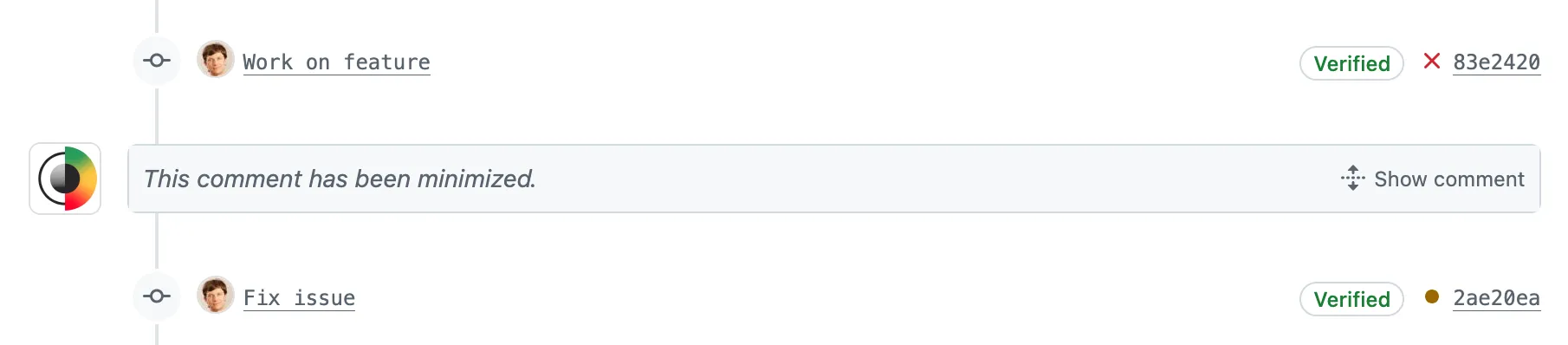
- When a new commit is pushed to your Pull Request, the TestLens comment for the previous commit is minimized. Once TestLens creates a comment for your new commit, the previous comment is removed.
Comment Structure
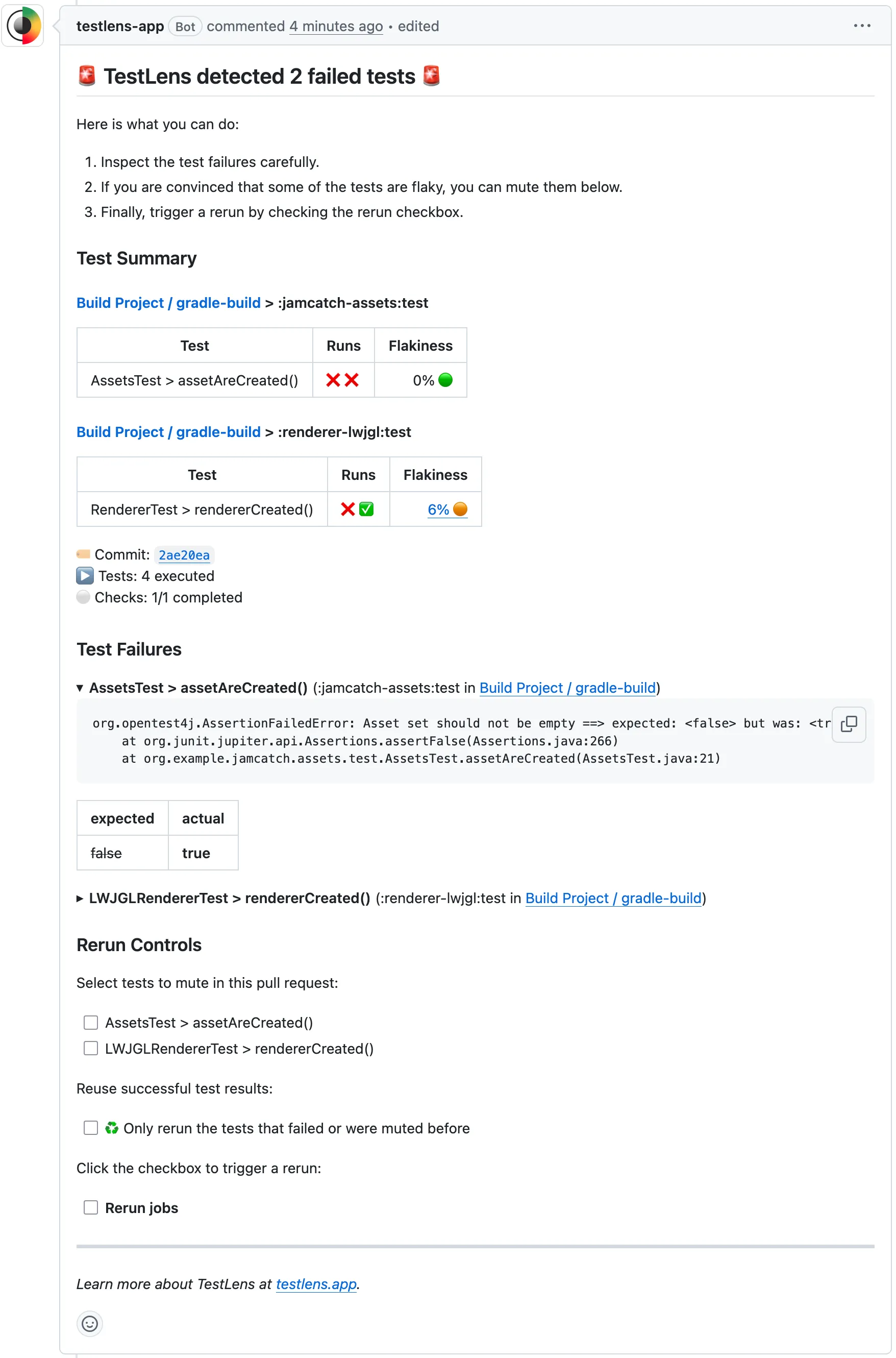
Section titled “Comment Structure”The comment consists of the following sections:
- Failed Jobs without Test Failures - links to the logs of jobs that failed for other reasons
- Test Summary – a live summary of problematic tests in all job (re)runs for the current commit
- Test Failures – details of failing tests: available for your inspection as soon as a failure occurs
- Rerun Controls – checkboxes to schedule reruns to counteract flakiness with the option to mute selected tests
Failed Jobs without Test Failures
Section titled “Failed Jobs without Test Failures”If jobs failed for other reasons than test failures, for example a compile or lint job, you find direct links to the logs of these jobs here.
Test Summary
Section titled “Test Summary”The test summary shows live tables that contain all test failures for the current commit for all jobs and (re)runs. Each row shows the status of all reruns. You can see, for example, if a test failed initially but succeeded in a rerun ❌ ✅. For test statuses, the following symbols are used:
- ❌ Failed – the test failed in this (re)run
- ⚠️ Flaky – the test was executed several times during this (re)run, failed first and then succeeded (may happen in a setup that uses the test retry Gradle plugin or a similar solution)
- ✅ Successful – the test succeeded in this (re)run
- ♻️ Successful reused – the test was successful in the previous (re)run and not re-executed in this rerun (may happen if a reuse results rerun was triggered via Rerun Controls)
- 🔇 Muted – Test was not executed because it was explicitly muted in this comment
- ⏭️ Skipped – Test was skipped in this (re)run (may happen in dynamic test setups)
- 🚫 Missing – Test was not executed in this (re)run (may happen in dynamic test setups)
- 🛑 Aborted – Test was aborted in this (re)run
For each test, you also see a flakiness score (in %) that indicates if the test was flaky before. A flakiness score that is higher than 0% may indicate that a failure is not caused by a change in the current PR, but rather a known flakiness issue. And that hence a rerun may be sufficient as solution for the current PR.
Test Failures
Section titled “Test Failures”If the Test Summary tables contain test failures, the failure details can be inspected here. This gives further context about why a test fails. Based on this, you can either go about fixing issues in your PR or trigger a rerun via the Rerun Controls if the failure is due to flakiness. In cases where a known issue should be temporarily ignored, you can mute selected tests in the Rerun Controls before triggering a rerun.
Rerun Controls
Section titled “Rerun Controls”The rerun controls allow you to directly trigger a rerun of GitHub action workflows that contain failed tests. This has advantages over triggering such reruns in the native GitHub UI:
🔲 Rerun jobsbutton at your fingertips – TestLens automatically selects which workflows/jobs need a rerun🔲 ♻️ Only rerun the tests that failed or were muted beforeto speed up the rerun by not re-executing tests that were already successful🔲 TestClass > testName()to mute a test – available for each test that failed in previous (re)runs