
Rerun Pull Request Builds Faster by Reusing Successful Test Results
Flaky GitHub Pull Request (PR) builds are an annoying reality in many projects. Just when you think a change is complete and good to merge, you are greeted with an ❌. TestLens’ Test Failure Details View helps you to swiftly assess if a failure hints at a real issue in your changes or if it is “just” flakiness. But even then, you still need to act before you can merge.
To unblock your PR, you need to rerun failed checks.
For this, TestLens offers a convenient ☑️ Rerun jobs button below the Test Failure Details View so that you can
trigger the necessary rerun without navigating through multiple pages of GitHub UI.
But that’s not all: TestLens also makes reruns (much) faster! Let’s assume you have a check where 799 tests succeeded and only 1 failed due to flakiness. Normally, a rerun would execute all 800 tests, including the 799 that already finished successfully, for the exact same changes. It would save a lot of time and resources, if we could reuse the previous results.
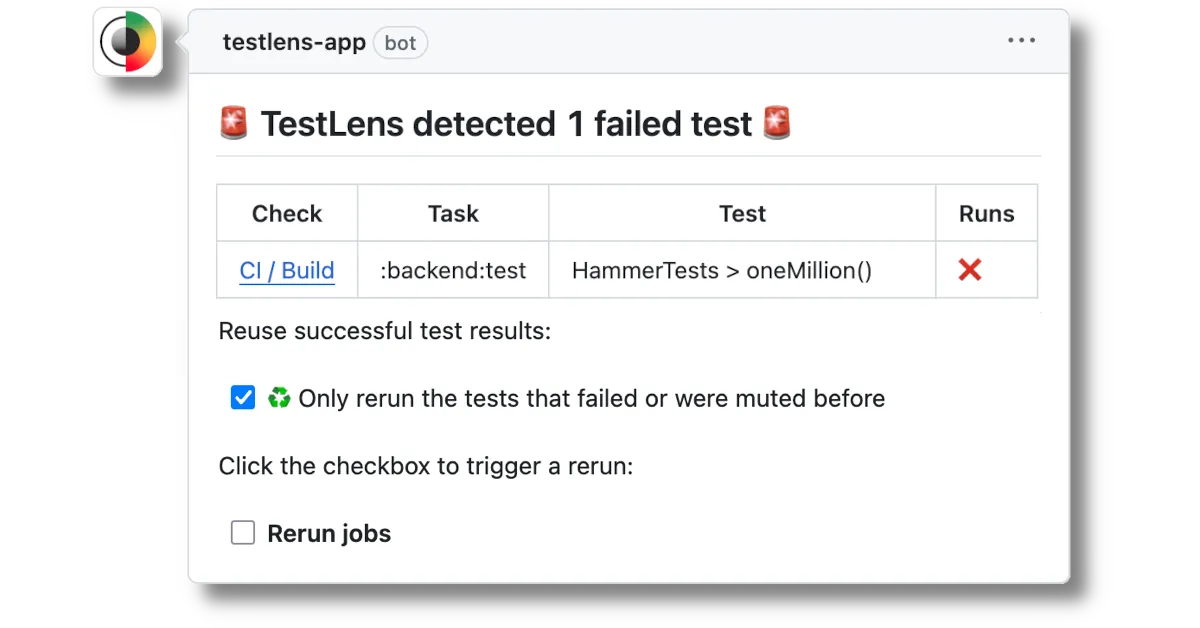
By checking the ☑️ ♻️ Only rerun the tests that failed or were muted before box, TestLens does this for you.
As TestLens recorded the results of the previous test runs, it instructs JUnit to skip the tests which are already
known to be successful. Now, instead of unnecessarily running 799 already successful tests,
only the 1 flaky test is reexecuted.
You may think: “This sounds very helpful, but just rerunning (even if it’s fast) cannot be the solution to flakiness management, right?” We absolutely agree and that is why this is just one of the features TestLens offers you in its toolbox for dealing with flaky tests. Tracking flakiness across builds, and helping you identify and fix it, is what we are working on right now – more about that in one of the upcoming posts.