
OpenID Connect Support for Authenticating Workflows
Starting with v1.10.0, the setup-testlens GitHub Action can authenticate with TestLens via OpenID Connect (OIDC) instead of the job’s GITHUB_TOKEN.
This lets teams whose security policy doesn’t allow sending secrets outside their build environment use TestLens.
The action instruments Gradle and Maven builds, which then report test events to TestLens.
First, however, it needs to prove that test results come from a GitHub Actions job of your repository.
By default, it uses the job’s GITHUB_TOKEN for that.
TestLens only uses it to verify that the job belongs to a repository the TestLens GitHub app is installed for and makes all other GitHub API calls with the app’s own credentials.
Nevertheless, the GITHUB_TOKEN is a short-lived secret that grants access to your repository, if only for the duration of the job.
With OIDC, no such secret leaves your build environment. The OIDC token is signed by GitHub but grants no access to your repository. The action exchanges it for a TestLens token in its open-source code, so you can review exactly what is sent. The TestLens token is only issued to running jobs, can only be used to report results for your repository, and expires when the job would time out at the latest.
To opt in, grant the job the id-token: write permission and set the use-oidc input to true:
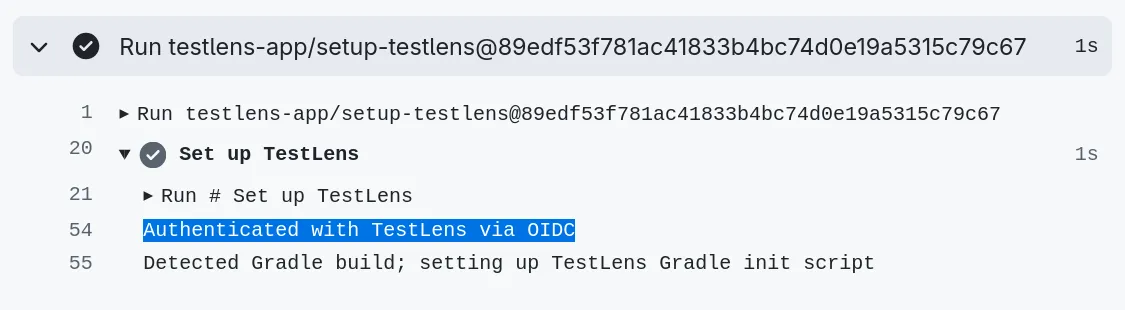
jobs: build: runs-on: ubuntu-latest permissions: contents: read id-token: write steps: - uses: actions/checkout@v6 # ... - uses: testlens-app/setup-testlens@v1 with: use-oidc: trueWhen running a GitHub Actions job with this configuration, you can observe the token exchange in the action’s logs:
GitHub doesn’t issue OIDC tokens to workflows triggered by pull requests from forks.
For those, the action falls back to the GITHUB_TOKEN, so their results are still reported.
Please refer to the documentation for more usage scenarios, including how to disable the fallback.
Happy testing!